

























































Snapchat Latest version - How does it work?
Feb 10, 2017 20:18
So guys in our this post we will mainly discuss with you how to use snapchat application, because snapchat now become very famous so every person from all over the world now wants to use snapchat now. And snapchat demands and download increasing day by day.
Snapchat got millions of download at last month of this year and snapchat having many snapchat logins and users. So as we said that now every one wants to use snapchat so they use to download it from their play store but still they are in mystery that how to properly use that snapchat app. Below we are going to update every single features in detail so people can understand that what is it how does it work.
Snapchat app :-
Snapchat is a messaging, images and video sharing app which is available for android as well as IOS users. And snapchat was launched in 2011.
And on 2014 it was by researched that there was 600 millions of photos and videos users use to send in a day. And the great part this app is that when yo send any of your snap to your friend or follower then that recipient can only see that picture for ten seconds only, and after that that snap will disappear for forever.
After the seeing success of snapchat, the owner of facebook was offered snapchat to own it for $3 billion. But cofounder of snapchat was declined through it. And now its shows the impact because now a days snapchat got so much popularity.
How does it work?
Snapchat is a simple messaging app but the features in this app make people confuse that how to use snapchat app, that’s why it become difficult to use snapchat.
The very first thing of you will see after open snapchat is your main camera view. Just keep reading our this article I can bet that after reading this you will use snapchat like expert!
Adding contact
When you are on main screen then swipe down to add new contact. There you will see the option that you your friend list who added.
Main screen
As we said that the first after opening this app is camera view. And at the bottom of screen you can see a tap button which to take your photo and videos. You can record a video by just hod that button or tap it for a snap.
At the left corner at the bottom on from screen it will show you a option of how much unread snaps you did not read you till tap it to view.
Sending snaps
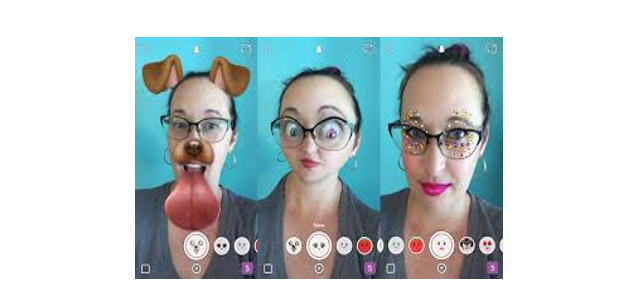
You can see on the bottom right of the main screen while is like arrow. You can tap on it then select the photo you want to send then it will open screen of recipients just choose any one whom you want to share with.
Making snaps
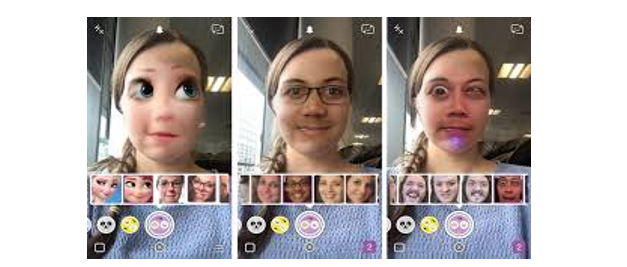
One option is that which is available on your main screen to take a snap by just tapping on that button. After taking when you snap a pop up screen will out which offers you snapchat crop, snapchat effect, snapchat filter, customizing and many more option.
Viewing stories
You can also view the story of other by tapping the three line option on the starting. After tapping I you will have a story scree with your recipient list.
Remember that anyone who have a small cartoon after his or her name then it’s a verified account on snapchat.
So guys all we did, from this article you will get the knowledge every option in snapchat very easily and also use them easily. Thank you!