


















































The most powerful partition management tool—EaseUS partition Master
Dec 11, 2020 03:33
EaseUS is known for its longtime best-selling recovery kit(資料救援) in the market. It recently has launched the Partition Master, the disk partition management tool, which has more complete functions than the built-in disk management tools on Windows.
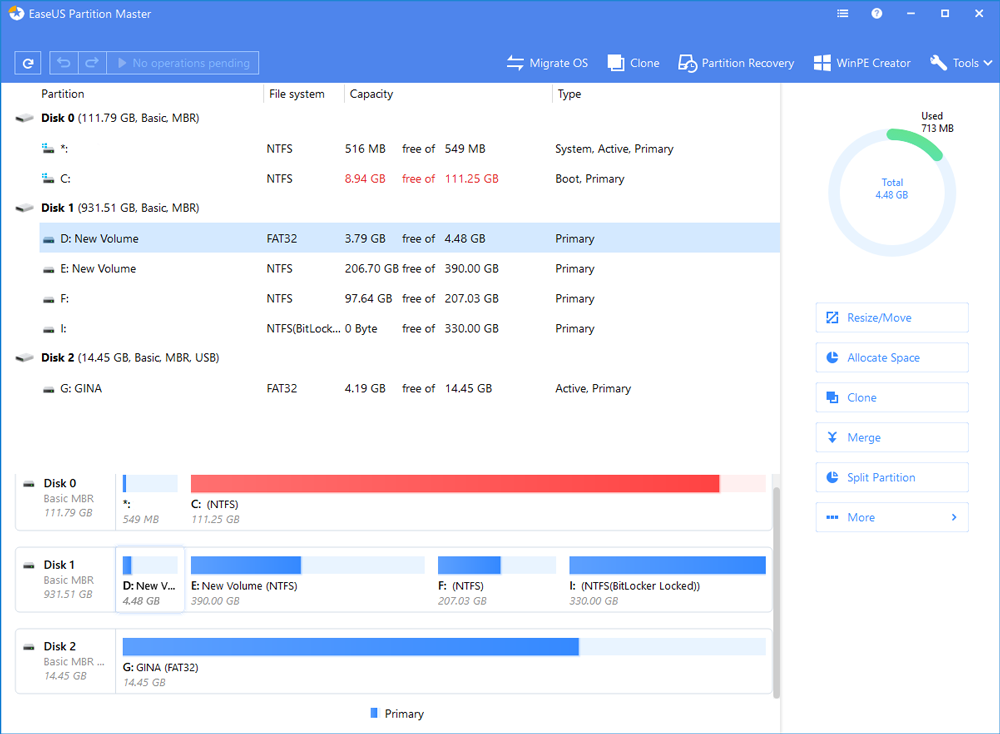
It has the ability to freely adjust the disk partition size, move, merge, copy, turning to local disks, relabel, defragment and even align SSD 4K. It supports dynamic adjustment, expansion, compression and creation of dynamic volumes, and migrate OS to other HDD / SSD functions, which is quite powerful.
Although Windows itself already has a built-in disk management tool, however the functionality are so limited and there are restrictions to use. With the proper help of EaseUS partition master it becomes quite easy to divide/resize/move and merge disks or partitions, copy or backup, or migrate the OS to another HDD/SSD. It supports Windows XP / Vista / 7/8/10 operating systems, and the design of this tool is intuitive.
Resize / Move
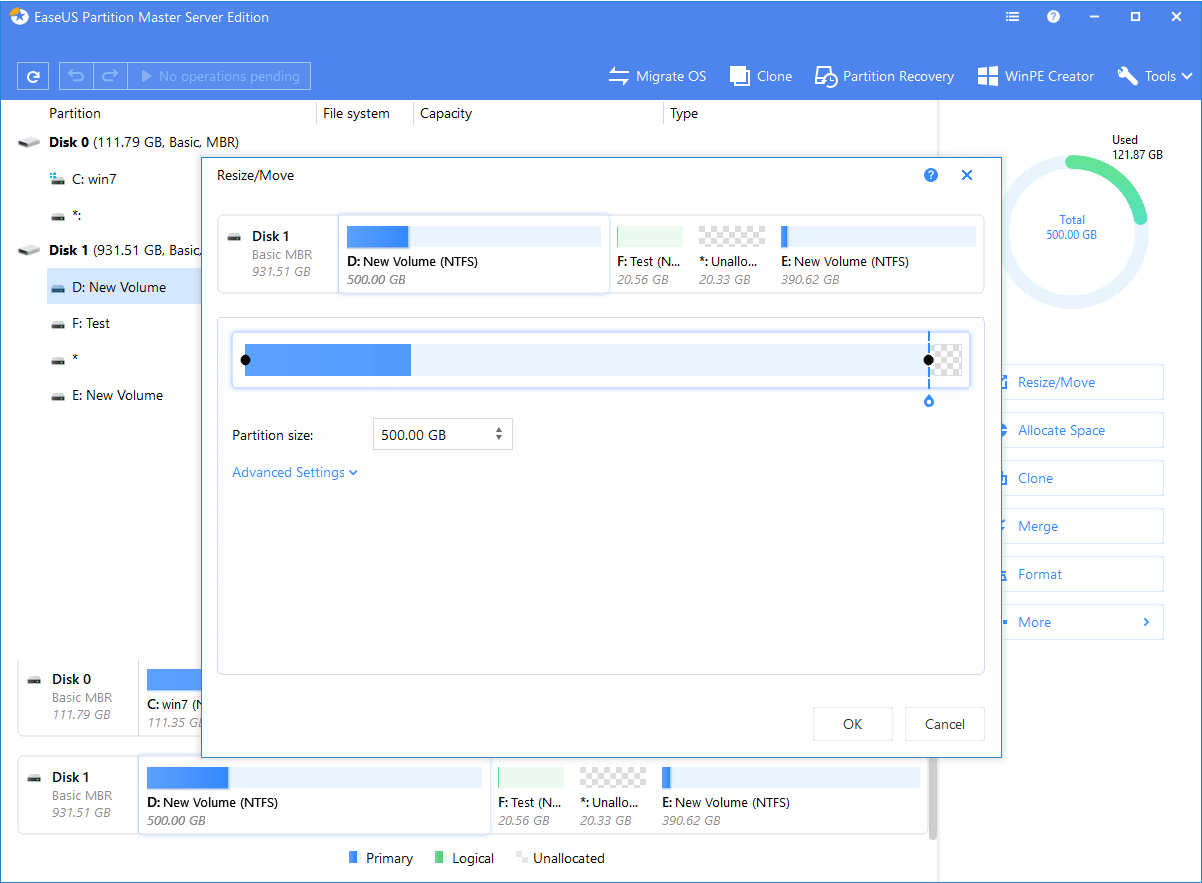
One of the functions of EaseUS Partition Master is the dynamic adjustment-Resize and the movement-Move of the partition. Users can expand or compress the partition size according to their needs without deleting or formatting, and complete this task without losing any data.
Disk / Partition Clone
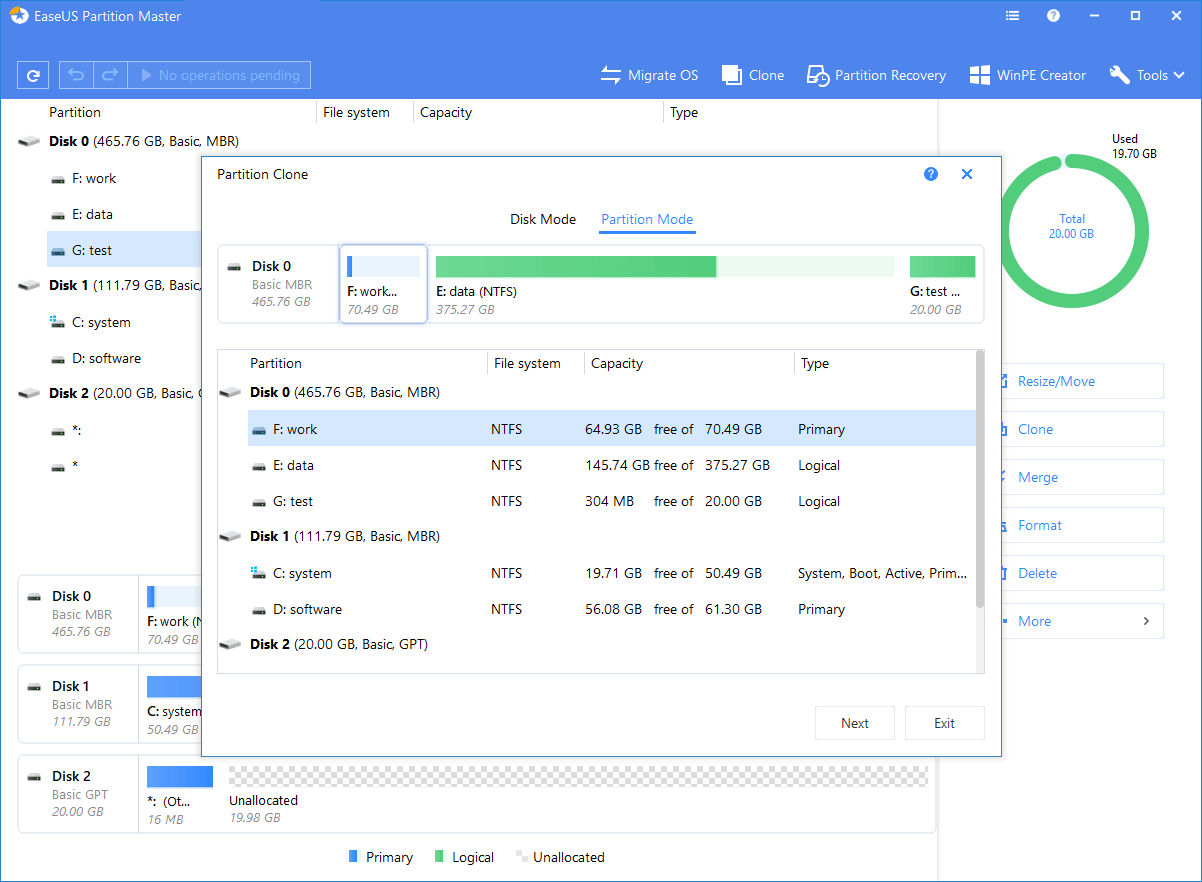
EaseUS Partition Master’s another main function is to copy the data of the disk/partition and move it to another unconfigured disk and partition. This function can help users back up important data to a flash drive and external hard drive, which is very convenient.
Surface Test

This function is to quickly test whether there is a bad sector in HDD. EaseUS Partition Master can display each sector and the number of bad sectors. Note that this function is not suitable for testing SSD devices
Migrate OS
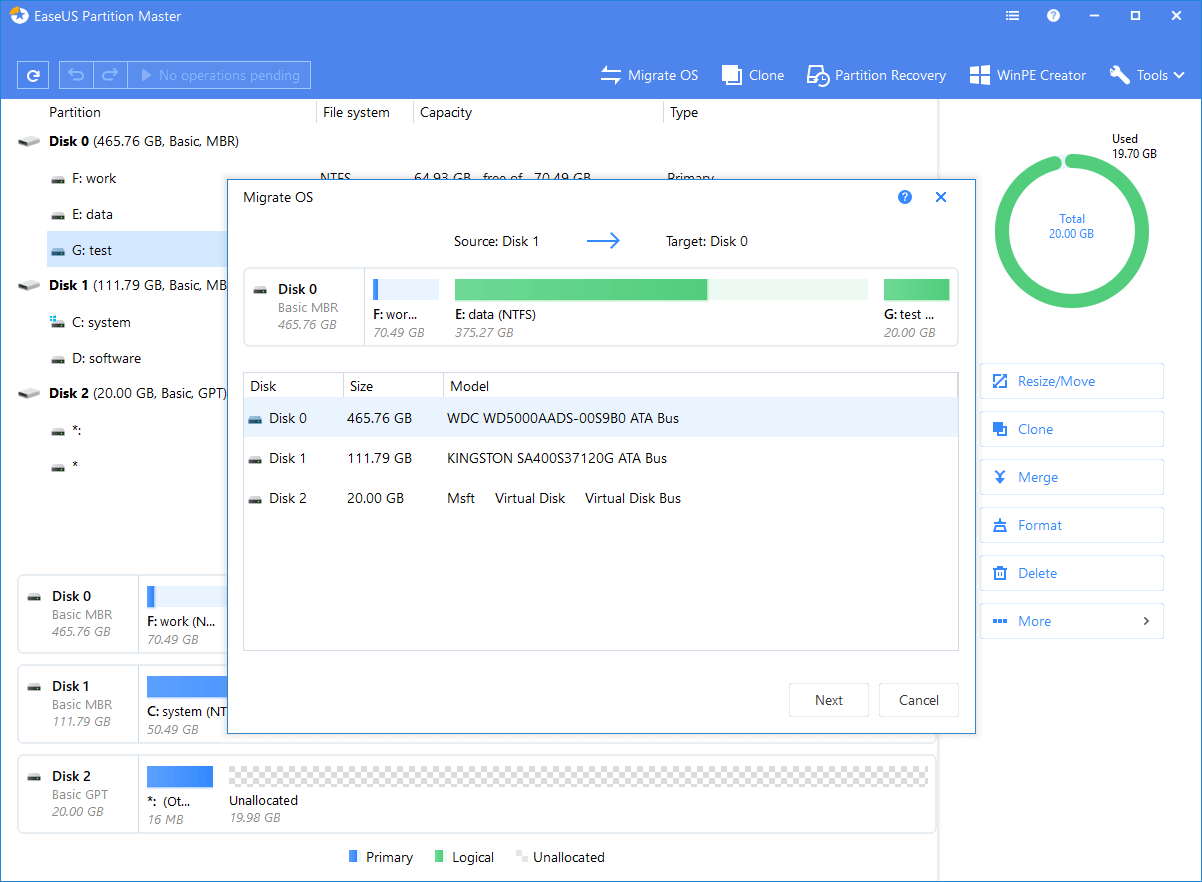
The Migrate OS function is the most noteworthy. It can copy user’s existing operating system to the new HDD / SSD in the most intuitive way. All boot sectors and system partitions will be automatically processed to ensure that the disk is completed so users can boot to the target disk correctly.
If the data on the target disk is being used by other programs, Partition Master can even start to create a WinPE boot disk copy, and then restart the computer to perform Migrate OS in the WinPE environment.
Create WinPE Bootable Disk
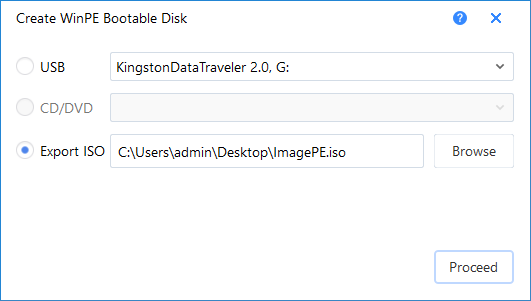
If user has a PC with OS system is damaged and cannot be restarted, they can use the best partition software - EaseUS Partition Master to create a WinPE rescue disk, which can be a USB flash drive, CD/DVD or ISO file. The WinPE interface is generally similar to the Windows version. The user checks the condition of the system disk and whether it can be repaired