
























































Here Are 10 Powerful New iPhone Tricks
Oct 13, 2014 19:00
iOS 8 has a lot of new tricks. If you've upgraded and haven't really played around with it just yet, here are 10 of them that are very useful. Check them out"







10. Locate a lost phone after the battery dies
If you lose your phone, this feature will help you find it, even if your battery runs out. To do so, Go to Settings > iCloud > Find my iPhone and select "Send Last Location". It will show your device's last known location on the map. So hopefully, you actually find it.2. Send audio messages
You can now send audio messages by tapping and holding the microphone icon on the right of the text field.3. Add photos, gifs, and videos to notes
The best part of messaging is now having the ability to add GIFs, or videos to notes. Just tap the screen and insert Photo. You can even paste it directly if you've copied a picture somewhere else.6. Hide any photo without deleting it
Sometimes, you take a photo that could be incriminating, or just plain ugly you don't want to see but don't want to delete just yet. You can actually hide that picture from the feed. Just hold your finger on the photo and you will see the option to hide it appear. You can undo this by holding your finger on it again to unhide it.4. And use rich formatting in your notes
Love italics? Or bold? Select the text and try it out yourself.9. Add your emergency health information
If you don't fancy wearing tags on your person to alert the allergies you have, you can use the new Health App, which lets you create your own medical ID with your medical info. It can include blood type, allergies, medical condition, all of which can be shown on the lock screen when you make an emergency call.1. Hands-Free Siri ("Hey Siri")
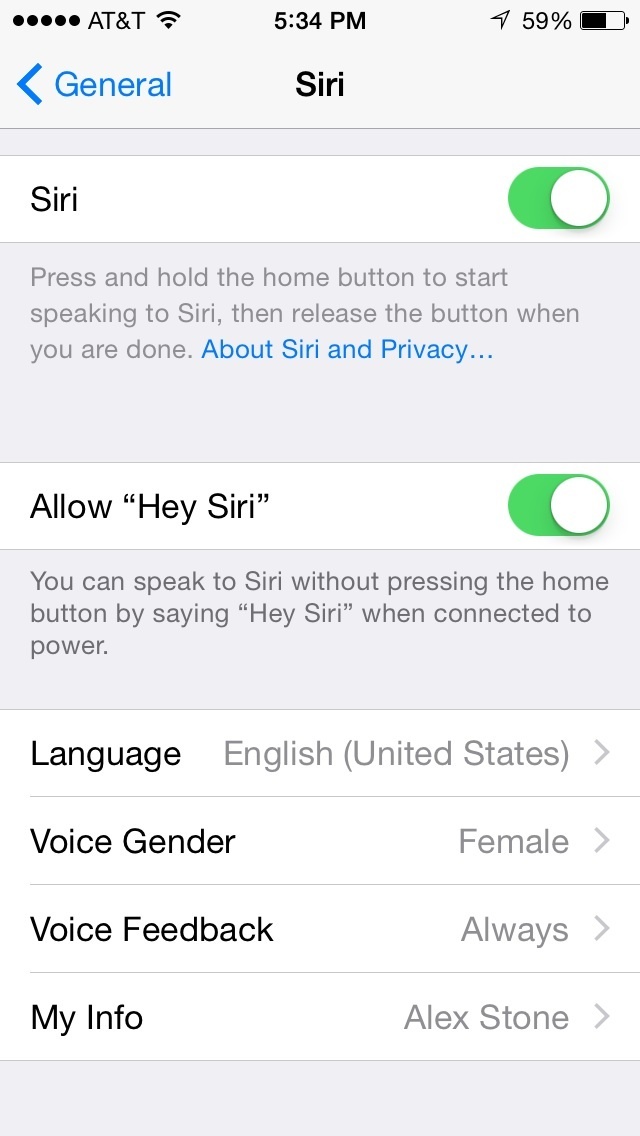
Don't want to hold down a button to talk to Siri? Go to Settings > General > Siri and turn on "Allow Hey Siri". All you have to do is say "Hey Siri", and she'll appear to fulfill whatever request you have.5. Take a timed selfie
You can set a timer to taking a selfie. Switch to Face Camera mode and touch the timer icon at the top and it will allow you either a 3 to 10 second time delay.8. Count your steps
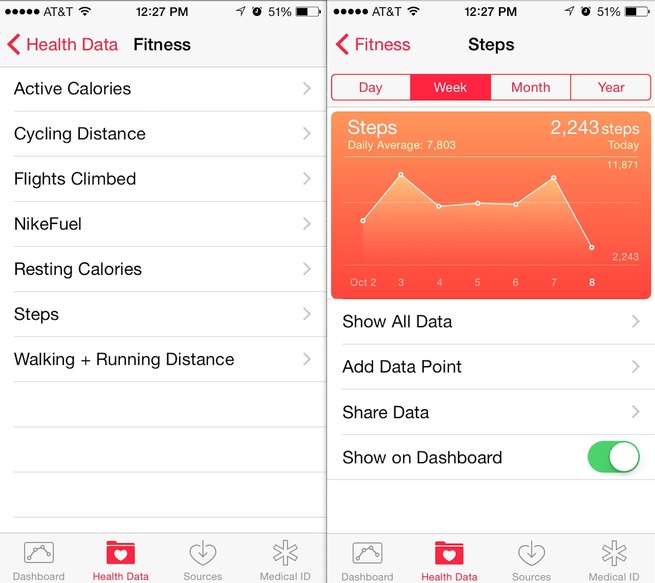
The iPhone will also act as a pedometer. It will tell you how many steps you've taken in a day, and give you a weekly, monthly and yearly average. You can track how active you've been too.7. Make a time-lapse video
Finally, time-lapse is the new slow-mo. Swipe right in the camera app and select time-lapse to start shooting.